“Tanzu Build Service uses the open-source CloudNative Buildpacks project to Tanzu Build Service turns your source code into Open Container Initiative (OCI)-compatible, continuously maintained container images that are deployable on any OCI-compatible runtime. Not only does it bring the buildpacks experience CloudFoundry developers loved to Kubernetes-native apps, it also leverages an automated build model that amplifies the value of Cloud Native Buildpacks (CNBs) at enterprise scale. Build Service also solves some of the biggest operational and security challenges that come with maintaining software over time by removing the need for a human to intervene when there are updates to your software or its dependencies. Automating the maintenance of your containers is especially important because it drastically reduces the risk of critical security vulnerabilities being left unpatched.”
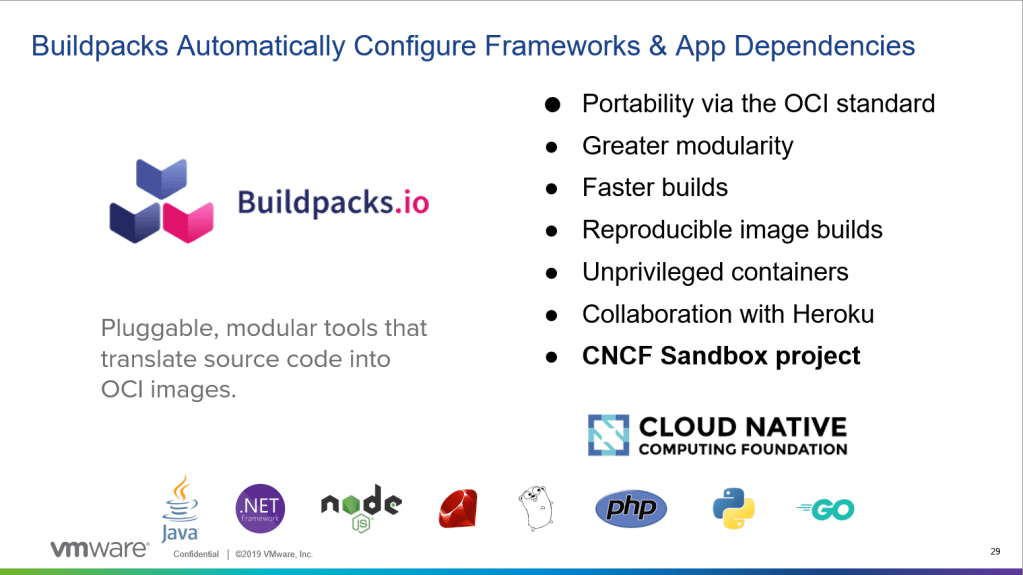
KPAK + Cloud Native Build Pack + Enterprise features = Tanzu Build Service
read more in the blog – https://tanzu.vmware.com/content/blog/announcing-tanzu-build-service-beta?src=so_5a314d05e49f5&cid=70134000001SkJn
In short, TSB is creating the CI part of the CICD.
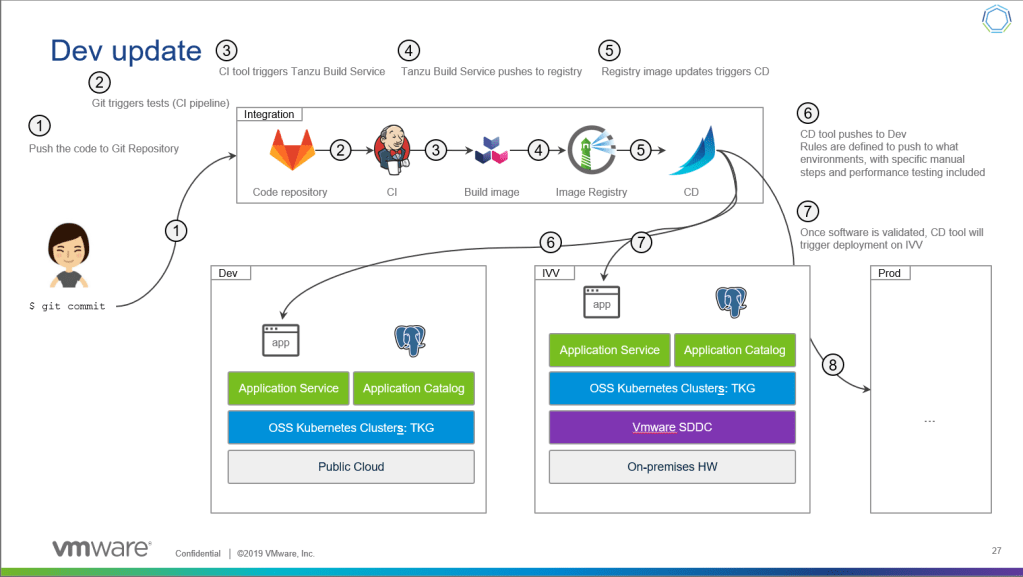
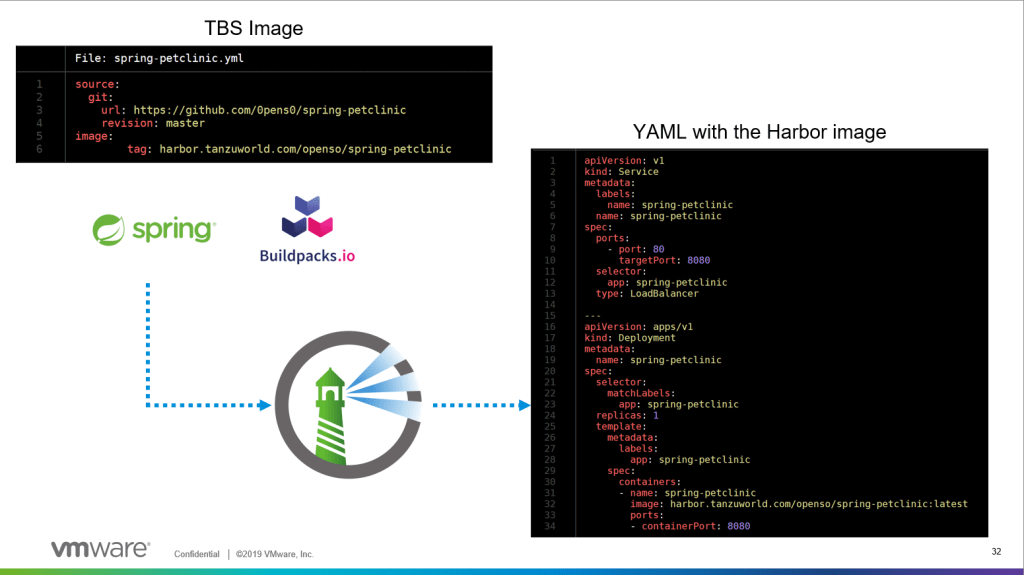
So lets do that! lets pull a spring app, package and push the image to Harbor and run it on the same kubernetes cluster with the image that was build.
Installation notes
Prerequisites
0. A Kubernetes Cluster 🙂 – my cluster is a Tanzu Kubernetes Grid cluster running on kubernetes services inside vSphere, want to know more? read here
1. TBS Docs – https://docs.pivotal.io/build-service/0-2-0/
2. TBS Download – https://network.pivotal.io/products/build-service/
3. Duffle CLI and KP CLI – https://network.pivotal.io/products/build-service/
4. Make sure you have a storage class configured as default
Installation
- Create credentials file pointing to your kubeconfig file. if you are using an internal container repository you should state your root ca as well (see documentation for that)
name: build-service-credentials
credentials:
- name: kube_config
   source:
     path: "/root/.kube/config"
   destination:
     path: "/root/.kube/config"
2. Log in to the image registry where you want to store the images by running:
docker login IMAGE-REGISTRY
3. Push the images to the image repository by running, Harbor in my case:
duffle relocate -f /tmp/build-service-0.2.0.tgz -m /tmp/relocated.json -p harbor.io/my-project/build-service4. Install TBS with Duffle:
export CLEANUP_CONTAINERS=true
export REGISTRY_PASS=<password>
duffle install tbs -c ./build-service-credentials.yml \
--set kubernetes_env=tbs \
--set docker_registry="harbor.io/my-project/build-service" \
--set docker_repository="harbor.io/my-project/apps" \
--set registry_username="admin" \
--set registry_password="$REGISTRY_PASS" \
--set custom_builder_image="<duffle relocate output image name>" \
-f /tmp/build-service-0.2.0.tgz \
-m ./relocated.json
5. Useful commands
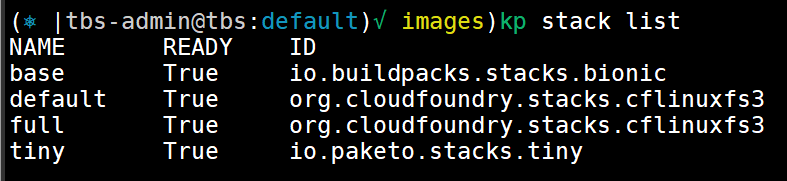
The stack resource specifies which build and run images are used with the cloud native buildpacks to create your containers. This enables organizations to stay compliant with IT policies around which security settings are applied, and which customizations need to be done to the base OS image.
kp stack list
kp stack status <stack name>
Build Service ships with the following stacks:
Store – A Store provides a collection of buildpacks that can be utilized by Builders. Buildpacks are distributed and added to a store in buildpackages which are docker images containing one or more buildpacks.
Build Service ships with a curated collection of Tanzu buildpacks for Java, and Paketo buildpacks for Nodejs, go, PHP, nginx, httpd, and .NET Core. It is important to keep these buildpacks up-to-date. Updates to these buildpacks are provided on the Tanzu Network Build Service Dependency page.
In addition to supported Tanzu and Paketo buildpacks, custom buildpackages can be uploaded to Build Service stores.
kp store list
kp store status <store name>
The custom builder resource combines the stack and store resources: it defines which combination of build and run images are available to be used by which buildpacks and permits the builder author to scope the resource at the cluster or namespace level.
Custom Builders contain a set of buildpacks and a stack that will be used to create images.
There are two types of Custom Builders:
- Custom Cluster Builders: Cluster-scoped Builders
- Custom Builders: Namespace-scoped Builders
kp custom-cluster-builder list
kp custom-cluster-builder status default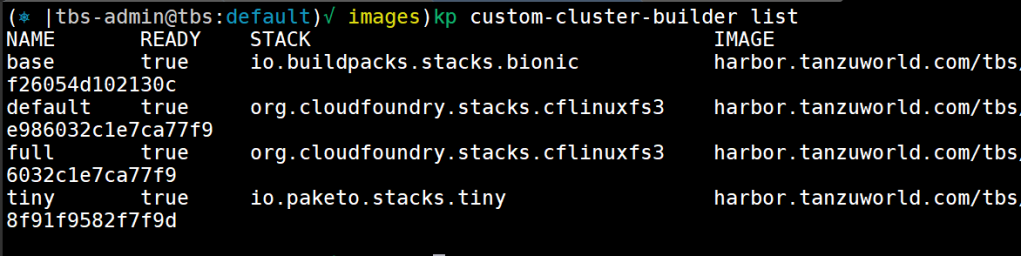
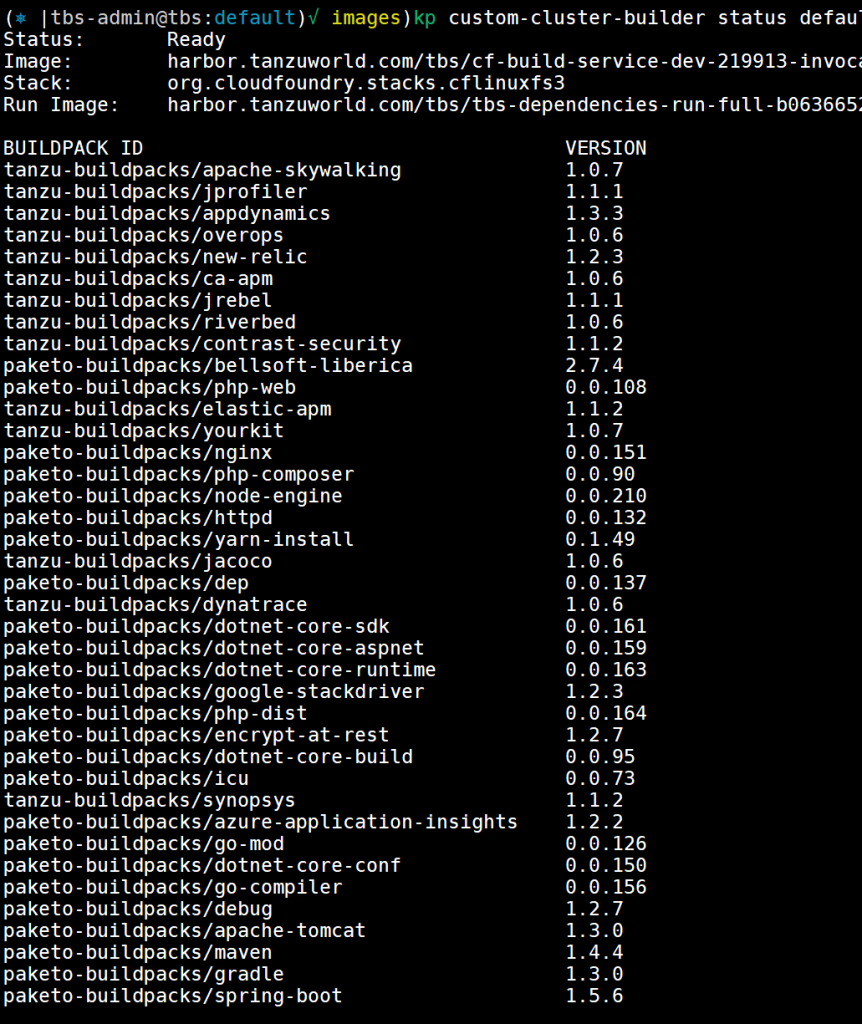
6. build something 🙂
- VMware Tanzu Build Service uses Kubernetes secrets to manage credentials. To publish images to a registry, you must use a registry secret. To use source code stored in a private Git repository, you must use a Git secret.
Create secrets for your repository and git. you will need a git token to login to your git account.
repository secret
kp secret create harbor --registry harbor.tanzuworld.com --registry-user adminenter the password when asked
git secret
kp secret create git --git https://github.com --git-user 0pens0enter the token you created when asked for password
list your secrets to see its in the system and you can use them
kp secret list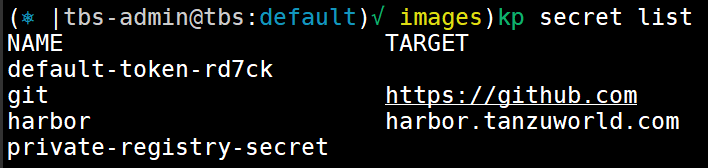
2. create image with kp image command. you will need to state the container tag and the git repository to pull from
kp image create petclinic harbor.tanzuworld.com/openso/spring-petclinic --git https://github.com/0pens0/spring-petcliniconce doing that it will initiate a build process. you can get the status from the following commands:
kp image list
kp image status petclinic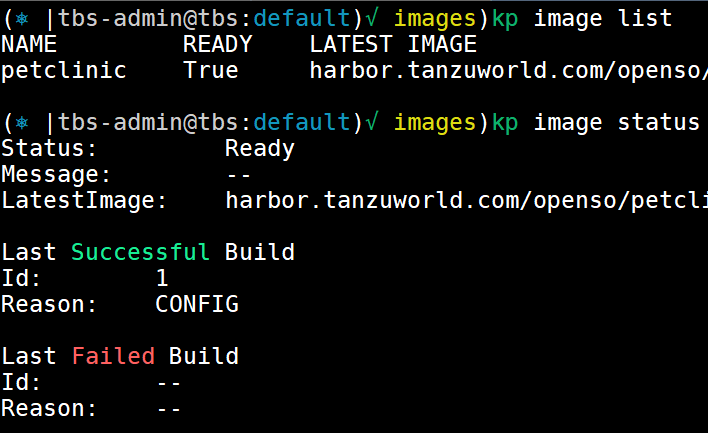
that image will create a build object you get get status for as well
kp build list petclinic
kp build status petclinic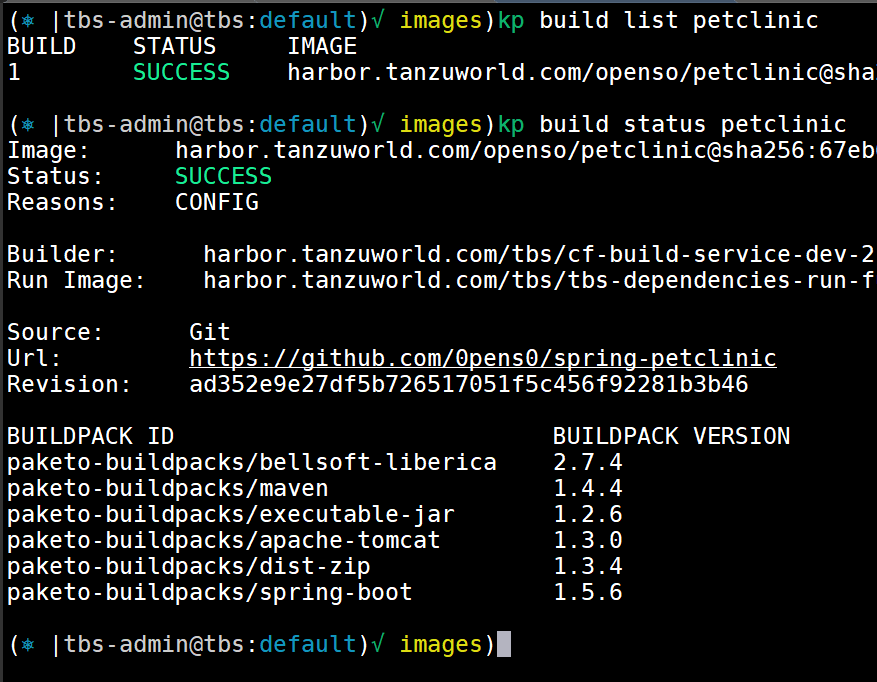
you can see in the status of the build what buildpacks was involved in the build. the output will be an image pushed into your repository, in our case it will be https://github.com/0pens0/spring-petclinic
Manage builds with kubectl
you can use kubectl to get status of builds with the following command
kubectl get builds.build.pivotal.iothat will show you the status of the build as well

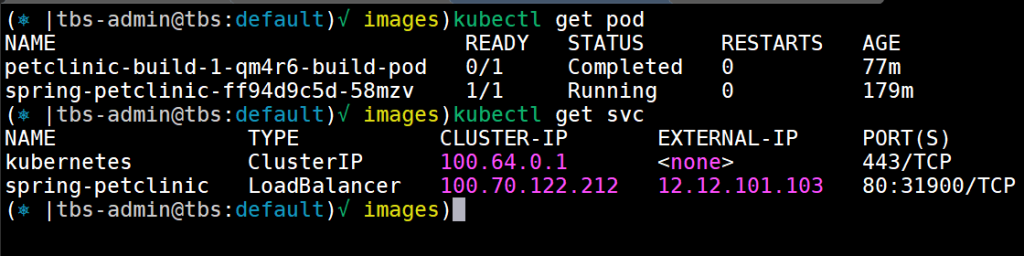
the build its self is running in a POD on the default NS, you can see the job status and the pod ruining with the following command
kubectl get pod
7. deploy the app 🙂
now we can create a general YAML file and state the image name like the following one
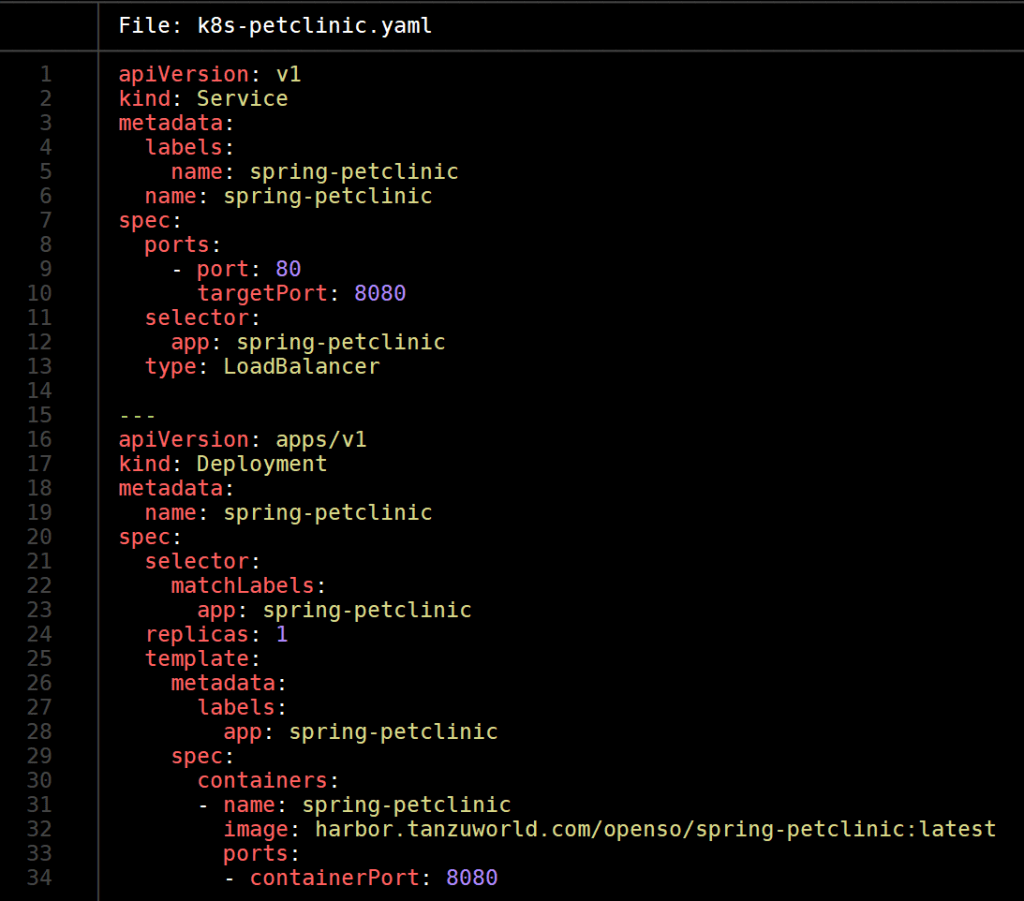
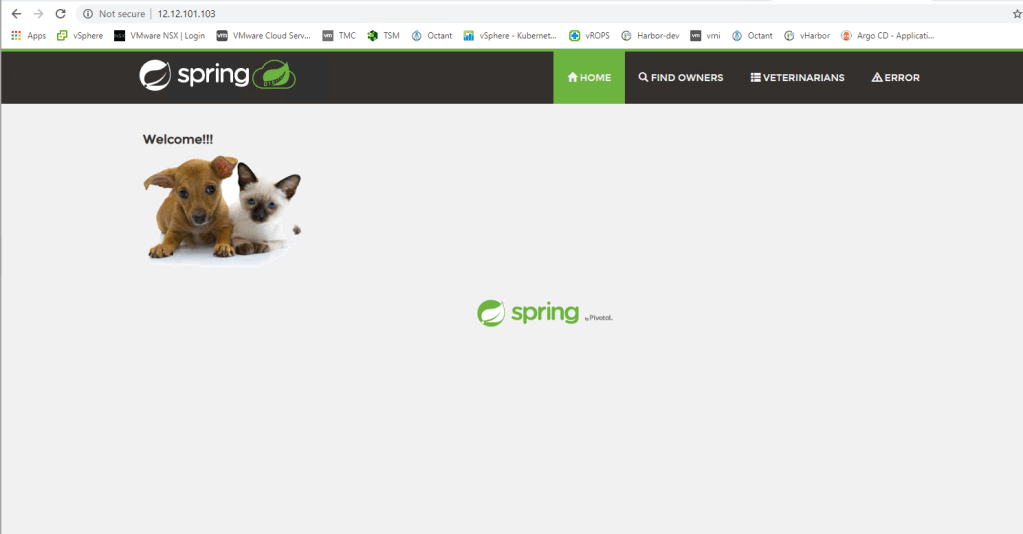
once we will apply the YAML file in our kubernetes cluster the app will run and be exposed with LoadBalancer like requested in the YAML.
 penso.io
Hi Oren,
Thanks it was really straight forward and I managed to get the build services running in PKS/TKGI.
But when I try to create an image, harbor is giving me 500 on a request which looks like an oauth2 authorisation call.
Have you seen this?
Regards
Ajit
kp build logs node-todo -n test
===> SETUP-CA-CERTS
setup-ca-certs:main.go:15: create certificate…
setup-ca-certs:main.go:21: populate certificate…
setup-ca-certs:main.go:32: update CA certificates…
setup-ca-certs:main.go:39: copying CA certificates…
setup-ca-certs:main.go:45: finished setting up CA certificates
===> PREPARE
Loading secret for “harbor.example.com” from secret “harbor” at location “/var/build-secrets/harbor”
Error verifying write access to “harbor.pks-wipro.com/test-pbs”: GET https://harbor.example.com/service/token?scope=repository%3Atest-pbs%3Apush%2Cpull&service=harbor-registry: unsupported status code 500
LikeLike
when you do docker login are you able to push / pull from the Harbor? whats the version of Harbor?
LikeLike